
Samsung · Mobile · Bangalore
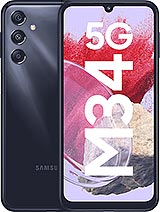

Samsung · Galaxy M34
Your repair is selected. Add your contact details and we’ll help you with the next step.
25,000+ customers since 2015
Why customers trust Fixkart
10+ Years
In the repair business
Fixkart Verified
Background-verified technicians
Pay After Repair
UPI, cash or card
A Galaxy M34 Wi-Fi and Bluetooth repair fixes a Galaxy whose Wi-Fi will not switch on, keeps dropping or has weak range, or whose Bluetooth will not pair — after ruling out the router, the accessory and the settings.
Free visit & quote
Diagnosis charge only if you decline the repair
Free pickup & drop
Collected & returned in Bangalore
Genuine parts
Brand-matched & quality-tested
1 Year warranty
On parts and labour
The M34 has dual-band Wi-Fi (2.4 and 5 GHz, Wi-Fi 5) and Bluetooth 5.3. When both stop together — Wi-Fi switch greyed out, Bluetooth stuck searching — the wireless chip or its antenna is more likely than your router.
First try Settings > General management > Reset > Reset network settings, which keeps your photos and apps. If the toggles still will not turn on, the technician checks the antenna lines and the Wi-Fi/Bluetooth part of the board. Wi-Fi calling relies on the same chip, so if calls over Wi-Fi stopped at the same moment, tell the technician — it helps narrow the fault.
If you notice any of the following with your Samsung Galaxy M34, book a free visit — catching it early keeps the repair simple.
Wi-Fi and Bluetooth on a Galaxy M34 share antennas built into the frame and connected to the mainboard by small cables and contacts. A drop can loosen one, which shows up as poor range rather than no connection at all. A switch that is greyed out and will not turn on points deeper, at the wireless chip on the board. Settings and software are checked first because they need no parts at all.
Pickup & drop
Collected & returned
1 Year Warranty
Parts & labour
Genuine Parts
OEM quality
Bangalore
77+ Areas
096116 21405
Call anytime
Something else wrong with your Galaxy M34? We fix all of these in Bangalore, at your doorstep or by pickup depending on the repair.
Not a Galaxy M34? The same wi-fi & bluetooth repair is available for these Samsung models.
It depends on the part and on what the technician finds. Fixkart does not publish a fixed list price for Galaxy M34 wi-fi & bluetooth repair: the exact amount for your Galaxy M34 is confirmed before any work starts, and you pay only after the repair, by UPI, cash or card. Send your model and a photo on WhatsApp for a quote. Samsung also lists its own service-centre spare-part prices on its support site.
No. It removes saved Wi-Fi passwords and Bluetooth pairings only. Photos, apps and messages stay.
It depends on the part and on what the technician finds, so no fixed time is promised. Your Galaxy M34 is collected, repaired on our bench and brought back; the technician tells you the time for your Galaxy M34 before any work starts.
Yes — every Galaxy M34 wi-fi & bluetooth repair is covered by a 1 Year warranty on parts and labour. If the same issue recurs within the warranty period, we fix it free.
This repair is handled by free pickup & drop — we collect your Galaxy M34 from your Bangalore address, repair it on our bench, and return it to you, with status updates throughout.
No. The visit and quote are free, and you only pay once the wi-fi & bluetooth repair is complete and you have checked the device yourself. If the device has to be opened to find the fault and you decide not to repair, a diagnosis charge applies — the technician tells you before opening it, and it is adjusted in your bill if you go ahead.
If restarting and updating do not bring it back, a greyed-out Wi-Fi switch usually means the phone cannot talk to its wireless hardware — commonly after a drop, liquid or heat. It needs the phone opened and tested.
Often, yes. Poor range on one phone, when others are fine in the same spot, usually means an antenna contact or cable has been knocked loose. Reseating or replacing it restores range.
Certified technician · free visit & quote · pay after the repair
Browse other models, brands, and locations. Each repair page shows whether it is done at your doorstep or by pickup and drop, and the warranty it carries.