Samsung · Mobile · Bangalore
4.4(1,422)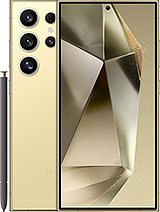

Samsung · Galaxy S24 Ultra
Why customers trust Fixkart
10+ Years
In the repair business
4.4 Rated
1,422+ Google reviews
Fixkart Verified
Background-verified technicians
Pay After Repair
100% safe & cashless
A Galaxy S24 Ultra charging port replacement fixes a Galaxy that charges slowly, only at an angle, or not at all — after a check that separates a worn USB-C port from a dirty one, a bad cable or a failing battery.
Free diagnosis
Upfront quote, no obligation
Free pickup & drop
Collected & returned in Bangalore
Genuine parts
Brand-matched & quality-tested
1 Year warranty
On parts and labour
If you notice any of the following with your Samsung Galaxy S24 Ultra, book a free diagnosis — catching it early keeps the repair simple.
Compacted lint at the bottom of the port stops the plug seating fully, and it looks exactly like a broken charging port — so we clean and test before recommending a replacement. If your Galaxy S24 Ultra still charges wirelessly but not by cable, the battery is fine and the port is the likely fault. In local repair shops the part is often called the charging patta; on most Galaxy phones the USB-C port sits on its own small board or flex, which is the part replaced when the port itself is worn.
The S24 Ultra's USB-C port carries more than charging: USB 3.2 data and DisplayPort output for Samsung DeX on a monitor. It is soldered to a daughterboard at the bottom of the phone, so a worn port is fixed by replacing that board. A phone that charges but no longer drives a monitor, or charges only at an angle, points there. The port is cleaned and tested with a 45W charger and a known-good cable first, since lint and tired cables cause a big share of slow charging. Data transfer to a computer is tested as well, since the same contacts carry it.
Pickup & drop
Collected & returned
1 Year Warranty
Parts & labour
Genuine Parts
OEM quality
4.4 on Google
1,422 reviews
Bangalore
77+ Areas
096116 21405
Call anytime
Something else wrong with your Galaxy S24 Ultra? We fix all of these in Bangalore, at your doorstep or by pickup depending on the repair.
Not a Galaxy S24 Ultra? The same charging repair is available for these Samsung models.
It depends on the part and on what the free diagnosis finds, so no fixed time is promised. Your Galaxy S24 Ultra is collected, repaired on our bench and brought back; the technician tells you the time for your Galaxy S24 Ultra before any work starts.
Yes — every Galaxy S24 Ultra charging repair is covered by a 1 Year warranty on parts and labour. If the same issue recurs within the warranty period, we fix it free.
This repair is handled by free pickup & drop — we collect your Galaxy S24 Ultra from your Bangalore address, repair it on our bench, and return it to you, with status updates throughout.
No. Diagnosis is free and you get a clear, upfront quote before any work begins. You only pay once the charging repair is complete and you have checked the device yourself.
Yes — wireless charging is a safe stopgap, and it also proves the battery is fine. Do not dig in the port with a pin; bent contacts turn a cleaning job into a daughterboard replacement.
Either lint packed into the port is stopping the plug going all the way in, or the port's contacts are worn. The first is fixed by cleaning; the second needs a Galaxy S24 Ultra charging port replacement. We check which before doing anything.
Leave it unplugged in a dry place with airflow first. If the warning keeps returning on a phone that is clearly dry, the port's contacts are usually corroded or dirty, and the port needs cleaning or replacing. Wireless charging is a safe stopgap on models that support it.
If the phone charges wirelessly but not by cable, or only charges when the cable is held in place, it is the port. If it charges normally but drains fast or shuts down, it is the battery. The free diagnosis confirms it.
No. The charging port is separate from the phone's storage, so nothing is erased and the phone is not reset.
Samsung says a Galaxy may feel hotter during fast or wireless charging and that this is within its normal range. It is worth a check if the phone gets too hot to hold comfortably, shows an overheating warning or keeps stopping charging. Samsung points to a damaged USB cable when it is the lower part of the phone that overheats, and to liquid or dust in the port — so unplug it, close running apps, let it cool and try a different, undamaged cable. If the heat stays, the port and the battery are both checked in the diagnosis.
Certified technician · free diagnosis · pay after the repair
Browse other models, brands, and locations. Each repair page shows whether it is done at your doorstep or by pickup and drop, and the warranty it carries.
