On this page
If your iPhone battery is draining fast, you usually do not need a new battery yet — most cases are caused by background activity, screen settings or a buggy app, and can be fixed for free in a few minutes. Start by opening Settings > Battery > Battery Health & Charging to check your Maximum Capacity: if it is above roughly 80%, the battery itself is probably fine and the nine fixes below will recover most of your runtime. If capacity has dropped well under 80%, the battery is worn and replacement is the genuine answer. This guide walks through both.
First, check your iPhone Battery Health
Every iPhone tracks how much its battery has degraded. Go to Settings > Battery > Battery Health & Charging and read the Maximum Capacity figure. A brand-new battery is 100%. Apple considers a battery worn once it drops below 80%, and you may also see a message that says the battery's health has degraded. This one number tells you whether you have a software problem or a hardware problem.
- 85% or higher — the battery is healthy; a sudden drain is almost always software, so work through the fixes below.
- 80–85% — mild wear; the fixes still help, but you may notice the phone fading by evening.
- Below 80% — the battery is genuinely degraded; settings tweaks help a little, but a battery replacement is the real fix.
Good to know
A worn battery does not just last shorter — it can also cause sudden shutdowns and slow performance, because iOS throttles the chip to protect a weak battery. Replacing it restores both runtime and speed.
9 fixes to try before replacing the battery
Work through these in order. Each one is free, takes under a minute, and together they recover most of the runtime an iPhone loses to background activity and unnecessary settings.
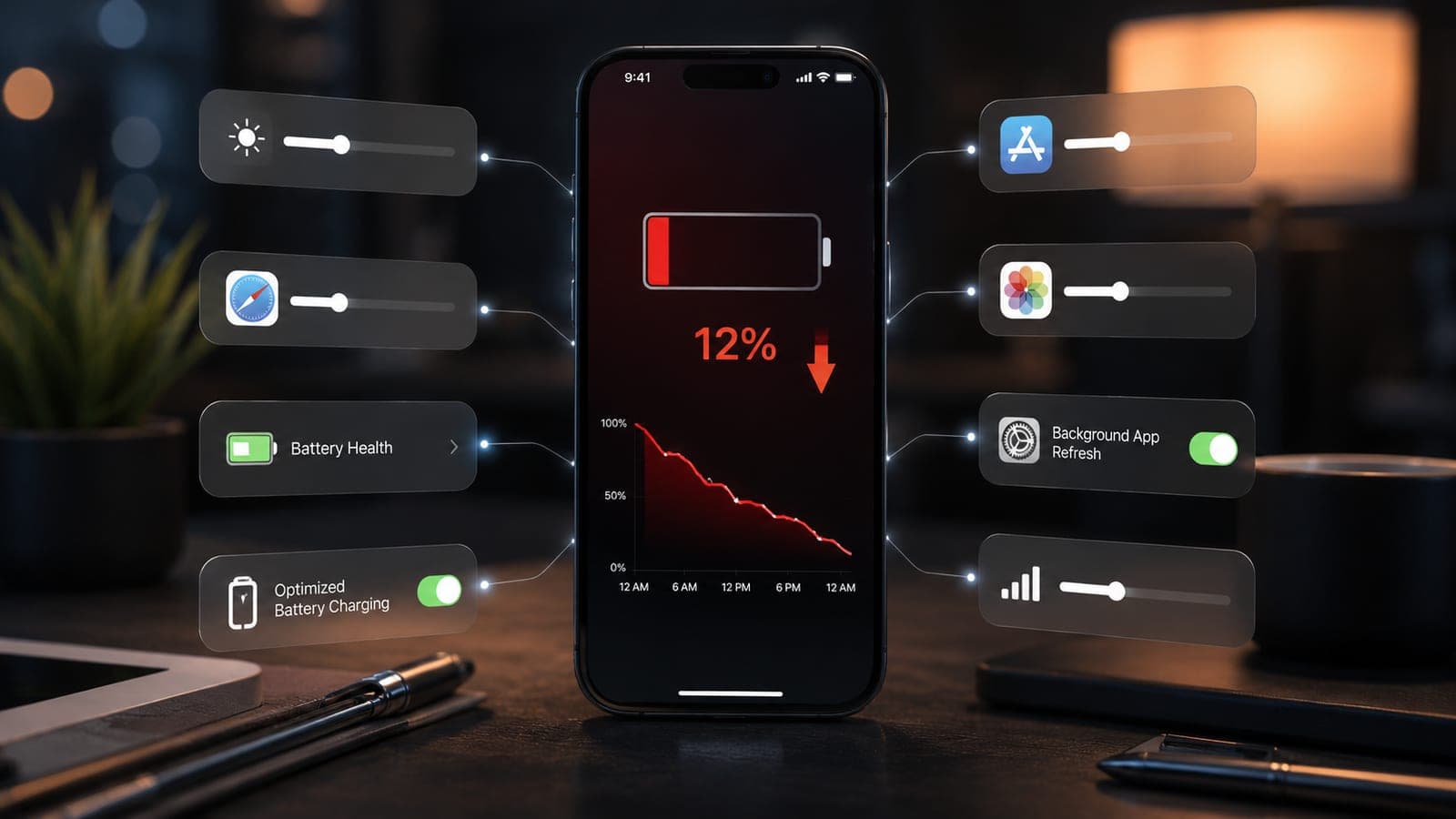
- Turn off Background App Refresh. Settings > General > Background App Refresh. Switch it Off, or limit it to Wi-Fi. This stops dozens of apps quietly updating themselves when you are not using them.
- Lower screen brightness and shorten Auto-Lock. The display is the single biggest battery drain. Drop brightness from the Control Centre and set Settings > Display & Brightness > Auto-Lock to 30 seconds.
- Disable unnecessary Location Services. Settings > Privacy & Security > Location Services. Set apps that do not need your location to Never, and keep only maps and ride apps on While Using.
- Update iOS. Settings > General > Software Update. Apple regularly ships fixes for battery bugs, and an out-of-date iOS is a common cause of sudden overnight drain.
- Find the battery-draining app. Settings > Battery shows usage for the last 24 hours and 10 days. If one app sits at the top with high background time, force-close it, update it, or delete and reinstall it.
- Switch push email to Fetch. Settings > Apps > Mail > Mail Accounts > Fetch New Data. Push keeps a live connection open all day; Fetch every 15–30 minutes uses far less power.
- Use Low Power Mode. Toggle it from Settings > Battery or the Control Centre. It pauses background refresh and visual effects and can add hours when you are away from a charger.
- Cut down on widgets, motion and notifications. Reduce Motion, fewer Lock Screen widgets and fewer chatty notifications all mean the screen wakes less often.
- Avoid heat and uncertified chargers. Do not leave the phone on a car dashboard or in direct sun, and use a good-quality charger. Heat and poor chargers permanently age the battery faster than anything else.
Tip
After making these changes, give it a full day before judging the result. Battery estimates settle over a charge cycle or two, so the improvement is clearest the next morning.
Habits that quietly drain your iPhone
Settings are only half the story. A few everyday habits in Bangalore's warm weather wear a battery down and shorten how long a single charge lasts:
- Charging in a hot room or under a pillow. Heat is the enemy of lithium batteries — charge in a cool, ventilated spot.
- Letting the phone hit 0% often. Frequent deep discharges age the cell; topping up between 20% and 80% is gentler.
- Heavy use while fast charging. Gaming or video calls during a fast charge builds heat and stresses the battery.
- Weak mobile signal. In a low-coverage spot the phone boosts its radio power and drains quickly — Wi-Fi calling helps indoors.
When a battery replacement is the real fix
If your Maximum Capacity is below 80%, the phone shuts down suddenly at 20–30%, or it still cannot last a working day after every fix above, the battery is worn out and no setting will bring it back. That is normal — most iPhone batteries reach this point after about two to three years of daily use. A replacement restores both runtime and full performance, and costs a small fraction of a new phone. See typical 2026 ranges in our mobile battery replacement cost guide, and if a worn battery is one of several issues, our roundup of common iPhone problems in 2026 helps you decide what to fix first.
Doorstep iPhone battery service across Bangalore
Fixkart replaces iPhone batteries at your home or office across Bangalore — from Koramangala and Indiranagar to HSR Layout, Whitefield and JP Nagar. A certified technician runs a free diagnosis, confirms whether the battery really needs changing, and most replacements are done in about 60 minutes. You pay only after the repair, and every battery is backed by a 1-year warranty. See all the areas we cover in Bangalore or get in touch to book a slot.
Frequently asked questions
A sudden drain is usually software, not hardware — a buggy app, Background App Refresh, push email, or an iOS update settling in. Check Settings > Battery to spot the app using the most power, update iOS, and turn off background refresh. If the drain persists and Battery Health is below 80%, the battery itself is likely worn.
Fixkart Service Team
Certified Repair Technicians
The Fixkart Service Team is a group of background-verified, certified technicians who carry out doorstep phone, laptop, tablet and smartwatch repairs across Bangalore every day. Our guides are written from hands-on workshop experience and reviewed by senior technicians before publishing.