
Apple · Mobile · Bangalore
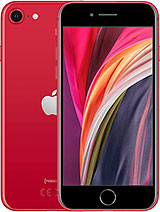

Apple · iPhone SE 2nd 2020
Price range
Free doorstep visit. Exact price confirmed before any work starts. Pay after the repair by UPI, cash or card.
Your repair is selected. Add your contact details and we’ll help you with the next step.
25,000+ customers since 2015
Why customers trust Fixkart
10+ Years
In the repair business
Fixkart Verified
Background-verified technicians
Pay After Repair
UPI, cash or card
Quick check before you book
Still not charging with a known-good cable? The port or the charging circuit needs repair.
An iPhone SE 2nd 2020 charging port replacement fixes an iPhone that charges only at an angle, slowly, or not at all — after a check that separates a worn port from pocket lint, a bad cable or a tired battery.
Free visit & quote
Diagnosis charge only if you decline the repair
Doorstep service
At your home across Bangalore
Genuine parts
Brand-matched & quality-tested
1 Year warranty
On parts and labour
If you notice any of the following with your Apple iPhone SE 2nd 2020, book a free visit — catching it early keeps the repair simple.
iPhone 14 and earlier use a Lightning port; iPhone 15 and later use USB-C, so the part for an iPhone SE 2nd 2020 is specific to its generation. Lint packed into the bottom of either port stops the plug seating and looks exactly like a broken port, which is why we clean and test before recommending a replacement. If your iPhone charges wirelessly but not by cable, the battery is fine and the port is the likely fault. Many repair shops call this part the charging patta: on an iPhone the port sits on a flex cable together with the bottom microphone, and that whole assembly is what gets replaced.
The SE 2020 charges through Lightning, supports Qi wireless and can fast-charge with an 18W or higher adapter. If wireless charging works but cables do not, the Lightning port at the bottom is the fault.
The bottom microphone sits right beside the port, so a port damaged in a fall can bring a mic fault with it. Lint is cleaned first; if the plug is still loose or charging cuts out, the port assembly is replaced and both charging and calls are tested. Data transfer to a computer is tested too.
Doorstep service
Home or office
1 Year Warranty
Parts & labour
Genuine Parts
OEM quality
Bangalore
77+ Areas
096116 21405
Call anytime
Something else wrong with your iPhone SE 2nd 2020? We fix all of these in Bangalore, at your doorstep or by pickup depending on the repair.
Not a iPhone SE 2nd 2020? The same charging repair is available for these Apple models.
iPhone SE 2nd 2020 charging repair at Fixkart is ₹2,500 – ₹5,000 in Bangalore. Where your price falls depends on the part and on what the technician finds; they confirm the exact amount before any work starts, and you pay only after the repair, by UPI, cash or card.
It depends on the part and on what the technician finds, so no fixed time is promised. Most iPhone SE 2nd 2020 charging repair jobs are done in a single visit at your door; the technician tells you the time for your iPhone SE 2nd 2020 before any work starts.
Yes — every iPhone SE 2nd 2020 charging repair is covered by a 1 Year warranty on parts and labour. If the same issue recurs within the warranty period, we fix it free.
Yes. iPhone SE 2nd 2020 charging repair is a doorstep service — a certified technician comes to your home or office anywhere in Bangalore and completes the repair in front of you.
No. The visit and quote are free, and you only pay once the charging repair is complete and you have checked the device yourself. If the device has to be opened to find the fault and you decide not to repair, a diagnosis charge applies — the technician tells you before opening it, and it is adjusted in your bill if you go ahead.
Try an 18W or higher USB-C adapter and another cable first. If it is still slow, packed lint or a worn port is the usual cause.
Either lint packed into the port is stopping the plug going fully in, or the port's contacts are worn. The first is fixed by cleaning; the second needs an iPhone SE 2nd 2020 charging port replacement. We check which before doing anything.
Unplug the cable, tap the iPhone gently with the port facing down and leave it somewhere dry with airflow. Apple says to wait at least 30 minutes and that it can take up to 24 hours to dry fully, and advises against heat, compressed air, cotton swabs and rice. A wireless charger can be used meanwhile. If the alert keeps returning on a dry phone, the port needs attention.
If the iPhone charges on a wireless or MagSafe charger but not by cable, or only when the cable is held in place, it is the port. If it charges normally but drains fast or shuts down, it is the battery. The technician confirms it at the free visit.
No. The port is separate from the iPhone's storage, so nothing is erased and the phone is not reset.
Some warmth is normal — Apple notes an iPhone can feel warmer while it charges wirelessly, and that if it gets too hot, charging slows or stops and the Lock Screen shows “Charging On Hold” until it cools. Charge it out of direct sunlight and avoid gaming or navigation on the charger. If it gets hot right at the bottom edge with a cable, or the message appears in a cool room, the cable, a dirty or corroded port or a worn battery is the usual cause, and the diagnosis checks all three.
Certified technician · free visit & quote · pay after the repair
Browse other models, brands, and locations. Each repair page shows whether it is done at your doorstep or by pickup and drop, and the warranty it carries.