
Apple · Mobile · Bangalore
4.4(1,422)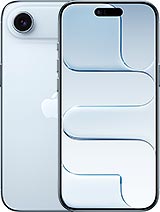

Apple · iPhone 17 Air
Why customers trust Fixkart
10+ Years
In the repair business
4.4 Rated
1,422+ Google reviews
Fixkart Verified
Background-verified technicians
Pay After Repair
100% safe & cashless
An iPhone 17 Air water damage repair opens the iPhone, stops the corrosion that liquid starts on the logic board and connectors, and replaces the parts it has already ruined — with an honest assessment first, because the outcome depends on what the liquid reached.
Free diagnosis
Upfront quote, no obligation
Free pickup & drop
Collected & returned in Bangalore
Genuine parts
Brand-matched & quality-tested
1 Year warranty
On parts and labour
If you notice any of the following with your Apple iPhone 17 Air, book a free diagnosis — catching it early keeps the repair simple.
The damage from liquid is mostly corrosion, and it keeps going after the phone looks dry — which is why an iPhone 17 Air can work for days and then fail. The sooner it is opened and cleaned, the more of it survives. Until then, keep it switched off and do not charge it. Apple advises against rice, heat and compressed air for a wet iPhone, and notes that liquid damage is not covered under its warranty.
The Air left the factory with an IP68 rating, but Apple is clear that this protection fades as the phone is used. With no SIM tray, the Air has one less opening than most phones, but the USB-C port, speaker and microphones still let liquid in once seals weaken.
Switch it off and keep it off the charger; avoid rice and heat. The back opens without removing the screen on this model, so the board and battery are inspected from behind. Residue is cleared and the camera, speaker, charging and Face ID are each checked. If it still starts, back it up first.
Pickup & drop
Collected & returned
1 Year Warranty
Parts & labour
Genuine Parts
OEM quality
4.4 on Google
1,422 reviews
Bangalore
77+ Areas
096116 21405
Call anytime
Something else wrong with your iPhone 17 Air? We fix all of these in Bangalore, at your doorstep or by pickup depending on the repair.
Not a iPhone 17 Air? The same water damage repair is available for these Apple models.
It depends on the part and on what the free diagnosis finds, so no fixed time is promised. Your iPhone 17 Air is collected, repaired on our bench and brought back; the technician tells you the time for your iPhone 17 Air before any work starts.
Yes — every iPhone 17 Air water damage repair is covered by a 1 Year warranty on parts and labour. If the same issue recurs within the warranty period, we fix it free.
This repair is handled by free pickup & drop — we collect your iPhone 17 Air from your Bangalore address, repair it on our bench, and return it to you, with status updates throughout.
No. Diagnosis is free and you get a clear, upfront quote before any work begins. You only pay once the water damage repair is complete and you have checked the device yourself.
No phone is. The Air resists water to IP68 only while new and sealed, and Apple notes it does not last. After any drop or repair, treat it as splash protection.
Take it out, switch it off and leave it off. Unplug every cable and do not charge it: Apple says not to charge a wet iPhone until it is completely dry, and to allow at least 5 hours before charging with a cable. Wipe it with a soft, dry cloth, tap it gently against your hand with the port facing down and leave it somewhere dry with some airflow. Do not use a hair dryer, compressed air or a bag of rice, and do not push a cotton bud or tissue into the port. If it was salt water, tea or a sweet drink, or it does not behave normally once dry, have it opened — the corrosion is inside, where drying from the outside cannot reach.
First, it may be protecting itself: an iPhone that senses liquid in the port shows a liquid-detection alert and pauses cable charging until the port is dry, which Apple says can take up to a day. A Qi wireless charger can be used meanwhile if the back is dry. If the phone is clearly dry and still will not charge by cable, the port contacts have usually corroded, and the charging port — or, if the liquid went further, the board — needs attention.
Liquid has most likely reached the board or the battery connection, and the phone is resetting each time a wet or corroded contact misbehaves. Every restart sends power through that wet area, so switch it off and stop trying to use it. Back it up first only if it stays on long enough to do so, then have it opened and cleaned.
It is worth having it opened. Liquid that got inside keeps corroding the board and connectors after the outside is dry, and phones often fail days later. Having it cleaned now is far less trouble than a dead phone next week, and the diagnosis is free.
No. Apple advises against rice, as well as external heat and compressed air. Rice does not draw liquid out of the inside of the phone, and grains and dust can get into the ports. Switch it off, leave it unplugged and have it opened.
Often, if the logic board can be brought back to life even briefly — your data lives on the board, not on the screen or battery. It cannot be guaranteed, which is why backing up while the phone still works is the first thing to do.
It is water resistant, not waterproof, and Apple says that resistance is not a permanent condition — it reduces with wear, drops and age. A phone that has been dropped or opened before is more likely to let liquid in.
Certified technician · free diagnosis · pay after the repair
Browse other models, brands, and locations. Each repair page shows whether it is done at your doorstep or by pickup and drop, and the warranty it carries.